
Contents
Why KDE
I’ve been using KDE full time for around a month on my work laptop. Since Fedora 41 was released I made the switch from being a GNOME user since Fedora 38. I’ve used KDE before years ago when I used Arch Linux on my university laptop and I liked it back then but since GNOME was the default for Fedora workstation I thought I’d give it a try.
I used it for more than a year and I have to admit it’s an excellent desktop environment. It’s very polished, stylish and refined and if someone said I could only use GNOME for the rest of my life I wouldn’t be mad.
I got the itch to switch and honestly I’m surprised it took as long as it did for me to give KDE another try. It’s even been given official workstation status by Fedora rather than being classed as a “spin”, so it’s clear that it’s a very popular desktop environment.
Why not GNOME?
Like I said, I love GNOME. After a whole year of using it I had virtually zero issues. It was fast, nice to look at and very simple. I think that may be part of the problem though. Although you can customise GNOME, they don’t make it easy. It’s kind of part of it’s whole philosophy though. They give you sensible defaults and for the majority of people they’ll never want anything else. For me, that was also the case, at least for a long while. Sometimes you just get that urge to fiddle with some settings or see what some different colours and styles would look like which if you want to do on GNOME is a slight pain.
I had various extensions on GNOME to make it a bit more to my taste but it always felt kind of hacky. KDE really just gives you total freedom right out of the gate to make your desktop behave exactly how you want. If I really wanted to I could replicate 80% of GNOME within KDE.
Not as Pretty
I have to admit, GNOME’s design language is nicer. It’s a bit more modern, sleek and refined whereas KDE is slightly more utilitarian although still not horrible to look at. GNOME’s icons, rounded corners, buttons and toggles all feel like they have a cohesive design language so the entire desktop environment flows together perfectly. Although you do get this for the most part in KDE there’s the odd hint of slightly rough around the edges design.
This could just be personal preference but if KDE had some more rounded corners and maybe some more rounded iconography and slightly larger interactive elements it would hit that modern feel that GNOME does so well.
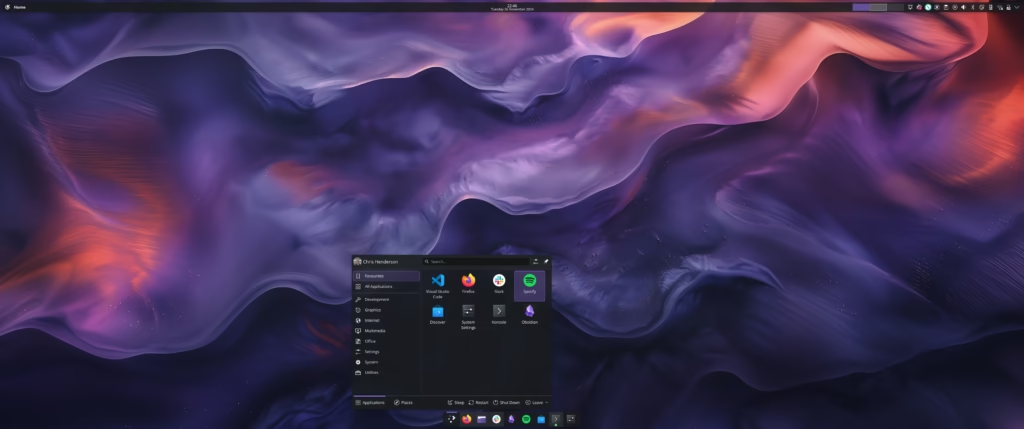
It may not be modern right off the bat but you can make KDE look however you want. Take a look at some of the things KDE users have created on https://reddit.com/r/unixporn and you’ll see the potential that KDE has. I’ve even got my KDE taking on some of my favourite design choices from GNOME like the global menu on the top left panel and system icons on the top right with a dock on the bottom, although I suppose this is technically MacOS’ idea.
Infinitely Customisable
GNOME has tweaks and extensions if you want to make it your own, but the true magic of KDE’s customisation is that it’s all built in. Practically every settings page has a “Get New” button that takes you to an official download page of custom configs and settings that other KDE users have created that you can download and use with the click of a button.
Even if the content that other users have created isn’t quite to your liking you can take their content and then just make your own adjustments to tailor it perfectly to you. Take the default “Breeze Dark” theme for example. I didn’t like the shades of grey they had chosen for most of their background elements so I edited the theme, toned down all the grey to be a bit darker and saved it as a custom theme called “Breeze Darker”. It doesn’t break the existing theme, let’s you fiddle with all the colours in a nice UI and then saves all your settings so you can hop back to the old theme if you didn’t like it.
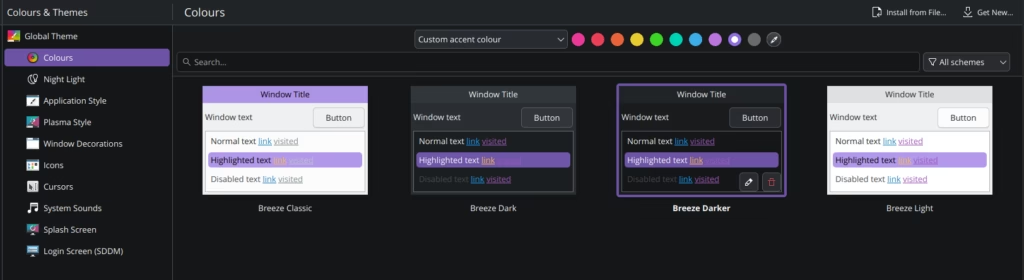
There’s options like this for widgets, panels, colour, fonts, desktop switchers, you name it. I’ve never seen a desktop environment do such a good job of building in customisation without breaking anything. Flicking through various themes, colours etc… is simple, and for the most part totally flawless. It’s really rather impressive.

A Bit Quirky
For all of it’s amazing customisation, KDE does have some quirks. I’ve found it to be ever so slightly buggier than GNOME. As a daily driver it’s totally usable, I’ve rarely had anything be so annoying I’ve wished I was using a different desktop environment, but there’s a few recurring issues I’d like to see improved.
I’ve had some strange issues with SDDM, the login manager, that mean when I open my laptop after it’s been locked I can’t enter my password and log back in without first mashing the escape key and then logging in. It may just be a graphical issue but it’s infuriating when it happens.
I’ve also had some issues with my USB C ports not detecting my USB hub until I unplug and replug it a few times. It gets there eventually but when you just want to quickly plug it in and go again it gets irritating.
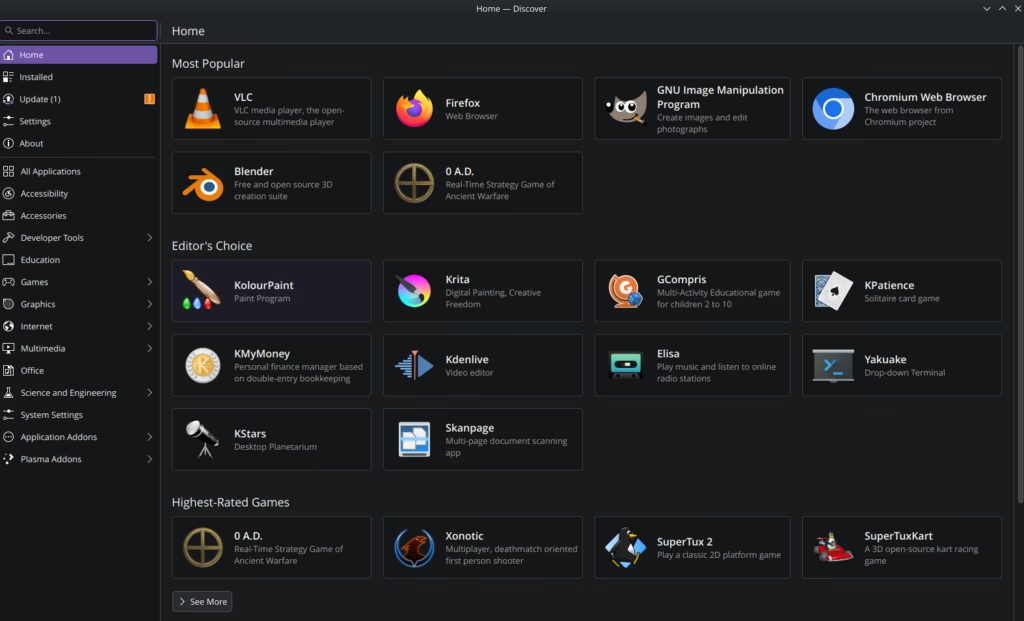
The Discover app, which is just for installing and updating packages if you don’t fancy doing it from the CLI is also every so slighlty janky and I think I liked GNOME’s software app better but I really don’t use it that much so can’t really complain.
The Future is KDE
Given KDE’s now being made an official workstation edition of Fedora, it obviously here to stay and will likely get even more popular especially for those coming over to KDE from Windows as it’s slightly more familiar. I think GNOME will retain it’s position as a very popular desktop but KDE is really making substantial moves to become the top desktop environment for the average user. If you haven’t already, give KDE a try. Switching on Fedora is super easy just follow the steps here and you’ll be on KDE in no time.

Leave a Reply