Contents
Why Linux?
I’ve recently started a new job as a junior system administrator/DevOps engineer at a small software development firm in Musselburgh. When interviewing for the job it was clear that they were looking for someone with experience in both Windows and Linux. Luckily for me, I spent a fair amount of time working in both operating systems throughout my university career.
My technical software development labs were generally completed on Linux machines within the University while a lot of my project work like reports, meetings, planning etc… was better suited to Windows as the university provided Office software for free along with free OneDrive storage and access to Microsoft Teams.
So for collaboration, Windows was the sensible choice. However, I also dabbled in using Linux on my personal machine as I was curious whether it could potentially replace my Windows system completely. Unfortunately due to Microsoft’s choice to support their own operating system, how very dare they. The experience with the Microsoft Office lineup alongside Linux was lacklustre so I eventually switched back after spending probably over a year distro hopping.
Distro Hopping
Throughout my time spent within Linux, I had tried; Ubuntu, Debian, CentOS, Arch, KDE Neon and ElementaryOS. Ubuntu was too flashy for me then, with a significant focus on touch controls. Debian felt too rustic and dev-focused, not an ideal choice for a personal machine.
CentOS was the distro of choice for the university development machines that looked like they were set up in the early 2000s and never updated.
Arch was a lot of fun actually and I spent a long time learning the setup process for Linux through the Arch Wiki (still a brilliant resource and very well maintained). I loved the idea of having the most up-to-date packages and software however it also was a bit too scary for me to have a machine that could potentially just break one day because a software update hadn’t been trialled enough.

I then ended up on KDE neon after dipping my toes in elementaryOS, which just felt too much like a macOS knockoff, which I know is kind of the point but it just felt wrong. KDE’s Plasma desktop was my favourite desktop for a long time. I used it with my Arch installation and obviously with KDE Neon. It felt like just the right combination of flashy and functional. It felt like a nice blend of all of the features I liked from macOS, Windows and Linux all combined.
However; like I said, I ended up falling back into the arms of Windows for an easier time collaborating with peers at university. And I know the rule is basically you either love Linux and hate Windows or vice versa but have to admit I do still like Windows. It’s nowhere near as efficient as Linux and it’s certainly bloated, there’s no arguing that, but in terms of user experience it’s still pretty good; especially with the new features introduced in Windows 11.
Why Fedora?
So, like I said, I started a new job. They use servers that primarily run on CentOS/Rocky9. These are RHEL-based systems and as such it made sense to use a distro that most closely mimicked RHEL while being a bit more user-friendly for daily activities. So, Fedora it is.
KDE Plasma
Now you also may remember I really enjoyed my experience with KDE Plasma back when I originally dabbled in Linux, and so imagine my luck when I found there was a Fedora “Spin” that had KDE Plasma as the default desktop. I went straight for this one without considering the standard Fedora installation that used GNOME. This KDE installation only lasted around 2 days before I completely wiped it and started again using the GNOME version of Fedora.
GNOME
My intention was not to remain on GNOME but to manually install KDE Plasma as the desktop environment later but after using GNOME for just a few days I was hooked on it. This was all by pure chance, however. I tried testing GNOME on my original KDE spin installation to see if it had been improved but I managed to break the login manager and couldn’t be bothered fixing it so just started from scratch.
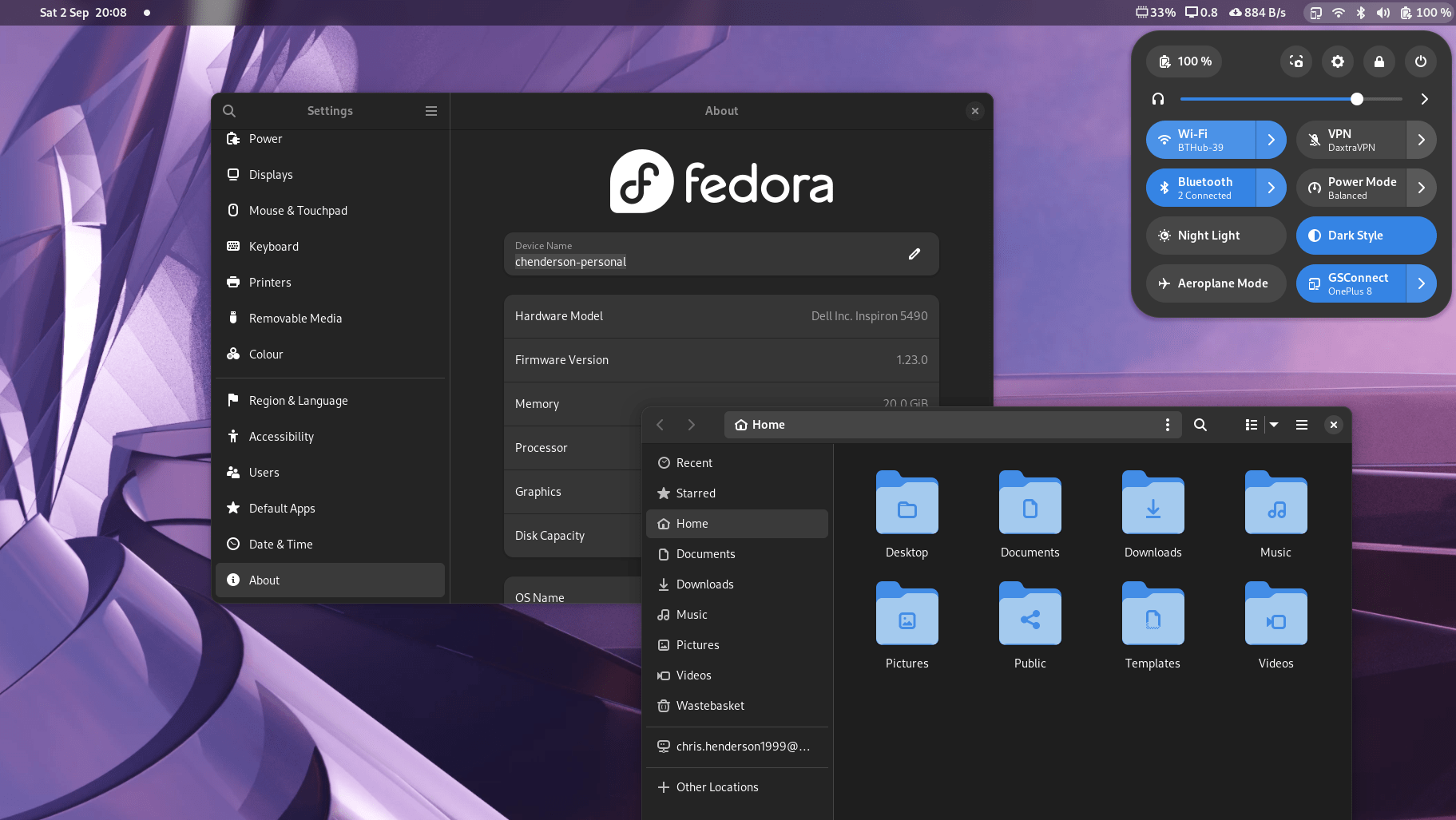
GNOME is now my favourite Linux desktop experience. It’s still a bit touch-focused which is slightly weird in some user interface areas like the app drawer. But I can’t fault GNOME for how fluid it feels. Linux, in my past experiences, has always felt a little bit more function over form, but GNOME is now exactly where I like my balance of form over function to be. There are just enough smooth animations and rounded corners to make the user interface feel friendly and homely. Like honestly look how clean it looks.

Navigation
I’ve always liked the dock on macOS and I have tried replicating it on most of my installations using various programs. GNOME doesn’t have the dock by default as it is hidden with the app launcher/activities view. I tried an extension that made the dock appear on the desktop and realised it just wasn’t needed. The fact that I can tap the Windows key (super key if you’re a Linux nerd), get into my app drawer and just instantly start typing to get to my apps is the quickest method I’ve found of navigating programs. Now I know you can also do this on Windows but dear God is it slow. On GNOME I can literally just hammer the keys as quick as I like and smash the enter key and I will be guaranteed to open exactly the program I need.
Control Center
I also like the control centre type addition they’ve made that shows your wireless, Bluetooth, sound, battery etc… up in the top right. It’s very sleek in design and it has every function you could ever want from a quick little toggle section like that.

Window Management
The only minor thing I was missing from Windows was the new window-snapping feature. I have an ultrawide monitor at home you see and to get things to snap nicely on that was only really possible with Windows 11’s new tiling feature or a third-party (sort of) program like PowerToys, which if you’re on Windows is really very handy. Lucky for me there’s a GNOME extension called tiling assitant that does the exact same things and in some ways better. It’s not quite as polished as the Windows implementation and sometimes it feels like you’re battling against the default GNOME snapping but there are rumours it’s going to be merged into the next GNOME release as an official feature so I expect it’ll get a nice new polish and shine to it before then.
What Can’t I Do?
Nothing. I thought I’d be missing out on lots of things that Windows provided me with when I switched to Fedora. But I have to say I’m very comfortable. It looks great, it performs well, it seems to get better battery life than Windows, and it just provides an overall stable and reliable experience. It’s also very nice not having to restart my laptop every time I get an update (although the odd firmware update will have you do that).
I thought there would be programs I wouldn’t be able to use but I’ve yet to find anything that I miss from Windows. I use Notion for task management and planning, and they have a lovely web interface that I can “install” as an app. The same goes for YouTube and Google Calendar. There’s even native Google Drive integration in the file explorer which is perfect as that’s my cloud storage provider of choice right now. Basically, anything I need works as a web app which all work great on Fedora.
The only thing I did quite like on Windows is their new terminal application that uses their new fluent design style. it has a cool transparency blur thing that I would quite like to replicate on my Fedora installation but I’m yet to make the effort to figure out how.
My only minor complaint in terms of bugs has to do with my ultrawide monitor. For some reason, despite the monitor having the capability, the cable being used supporting it, and Linux being aware of the capability, the maximum refresh rate of 75Hz is unavailable in the settings. I mean even the 60Hz isn’t there. I’m capped at like 49.99Hz. I can tell it’s a bit choppy but I’ve submitted a bug report (if anyone knows how to fix that please let me know) so hopefully, it can be fixed through the wonders of open source.
Sticking with Fedora
I’m not into distro hopping anymore. It’s such a hassle and it’s really just a huge waste of time unless you’ve got a spare machine to test stuff on. I’m sticking with Fedora and GNOME as long as it keeps on the path it’s on right now. Everyone will now call me a nerd for using Linux for all of my devices but honestly, everyone really has no idea what they’re missing out on when it comes to user experience on Linux these days. It’s really starting to give the competition a run for its money. And who can argue with free?

Leave a Reply